 SMail
SMailHOW SMAIL WORKS
More than a search box.
SMail builds a local index of the Outlook mailboxes and folders you choose, then uses that index to help you find emails quickly — without moving your email into the cloud.
Outlook remains where your email lives. SMail gives you a faster way to find what's already there.
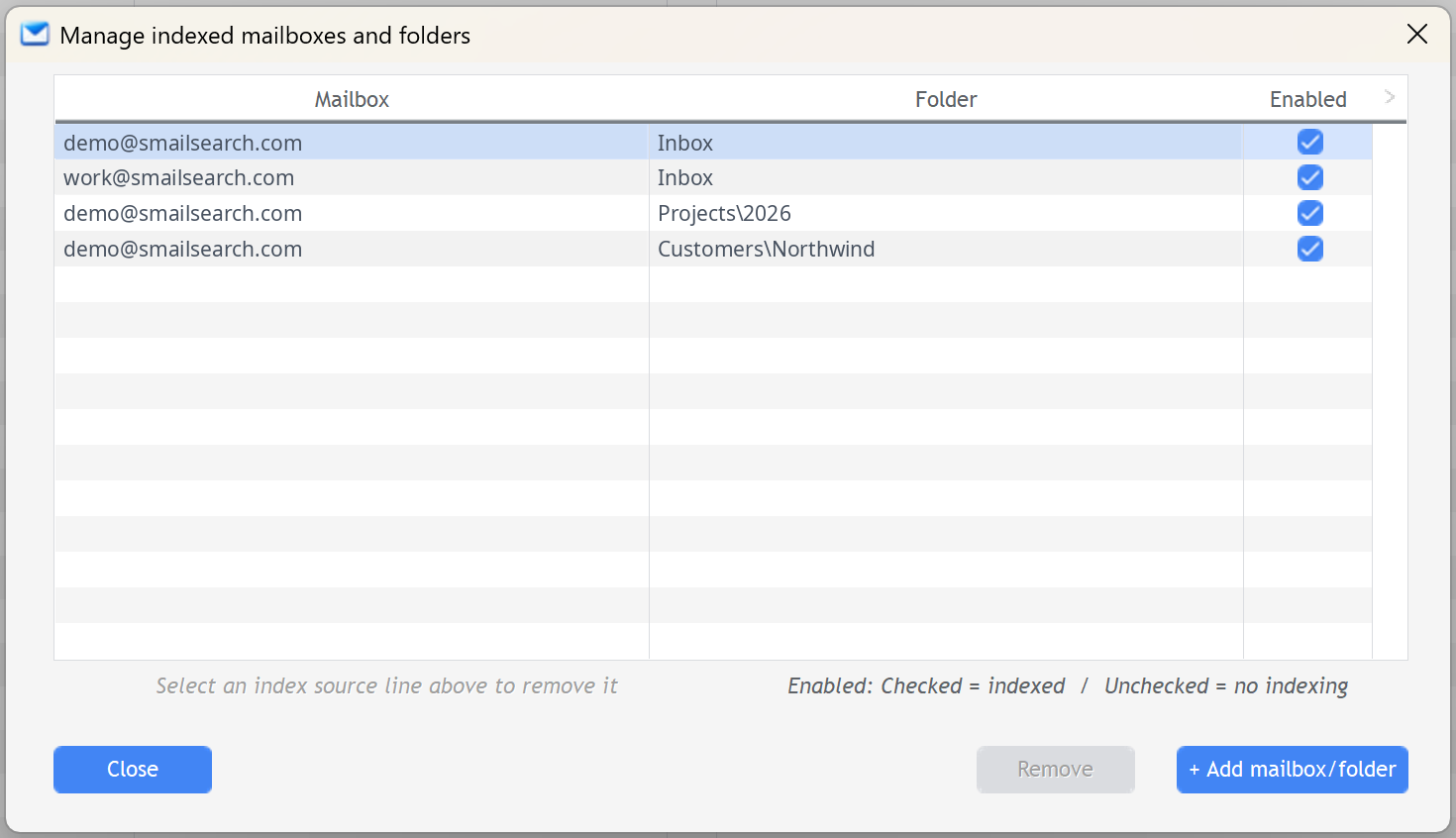
Choose the Outlook mailboxes and folders SMail keeps searchable.
CONTROL WHAT GETS INDEXED
Your mail. Your choice.
Choose exactly which Classic Outlook mailboxes and folders SMail indexes. Add the folders that matter to you — including nested folders — and leave everything else alone.
Explicit selection
SMail indexes the folders you choose, rather than assuming every folder should be included.
Nested folders supported
Select the exact subfolder you need, even several levels deep.
SEARCH WITH WHAT YOU REMEMBER
Search the clues you actually remember.
You don't need to remember exactly where an email was filed. Start with the details you still know, then use SMail's search controls to focus the results.

Start broad or add the details you remember.
Search across the email
SMail searches subject, sender, message content and attachment names.
Narrow when useful
Limit the search to a mailbox, a date range or emails with attachments.
Remember your settings
Keep your mailbox, date and attachment-filter choices ready to reuse on the next search.
BUILT FOR SPEED
Thousands of emails. Results in seconds.
SMail searches its local index instead of making you hunt through Outlook folder by folder. In this real SMail search, 701 indexed emails were searched in 0.70 seconds.

A genuine SMail search result captured during testing.
AUTOMATIC REFINEMENT
Too many results? Let SMail help narrow them down.
Start from the results you already have. Your original search stays intact.
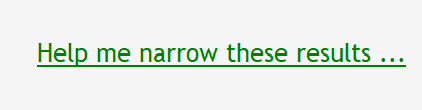
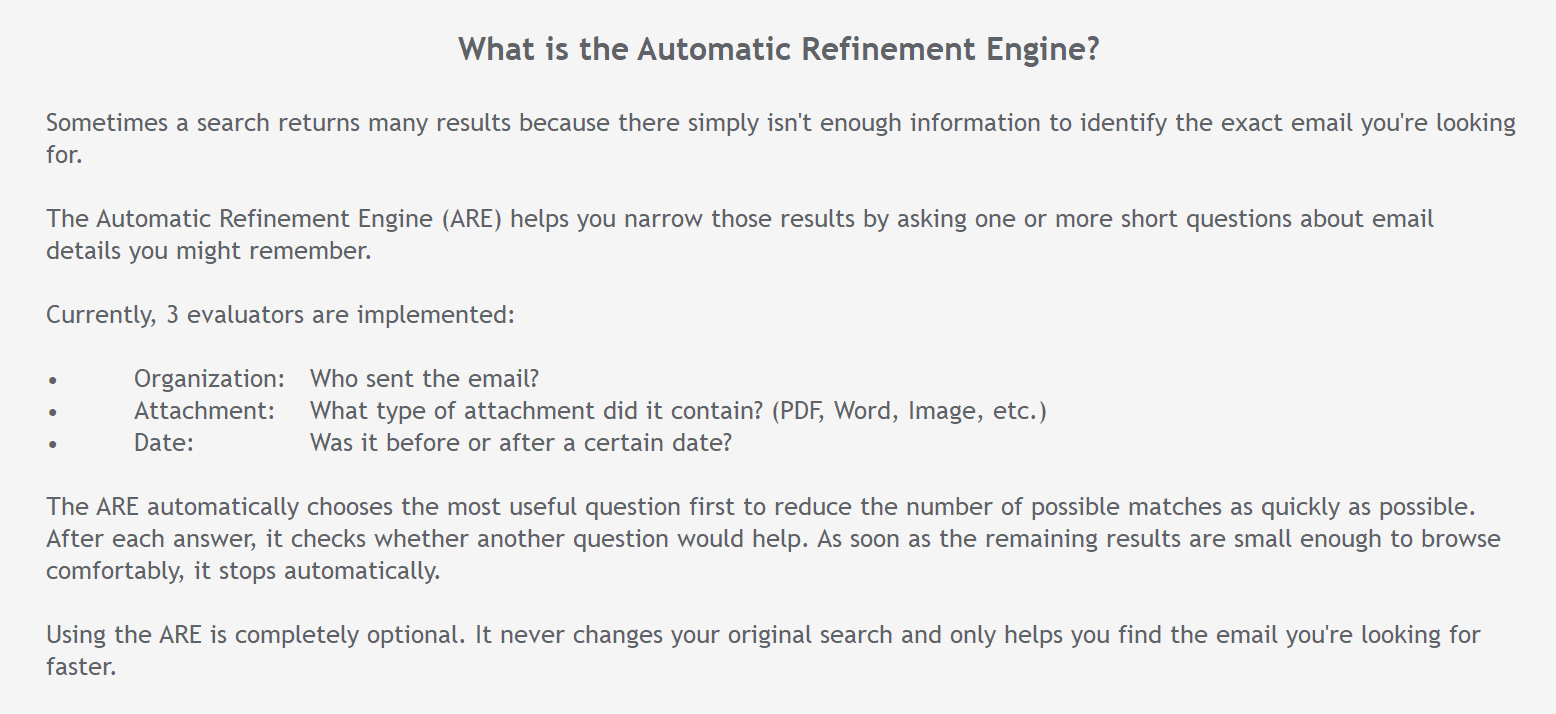
SMail chooses a useful question from the clues still available.
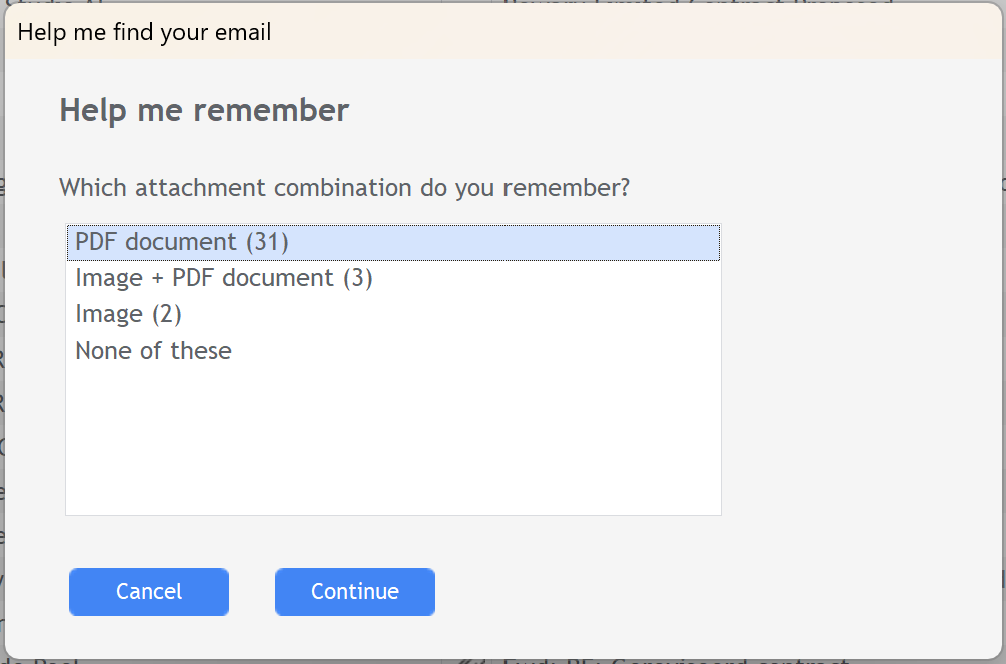
Answer a short question and keep narrowing only when needed.
ADAPTIVE RELEVANCE ENGINE
The strongest matches rise to the top.
SMail looks at where your search words appear, so stronger matches can rank ahead of weaker ones — and you can see why.

See why a result ranked where it did.
SMail shows which parts of an email contributed to its relevance, such as the subject, body or attachment name.
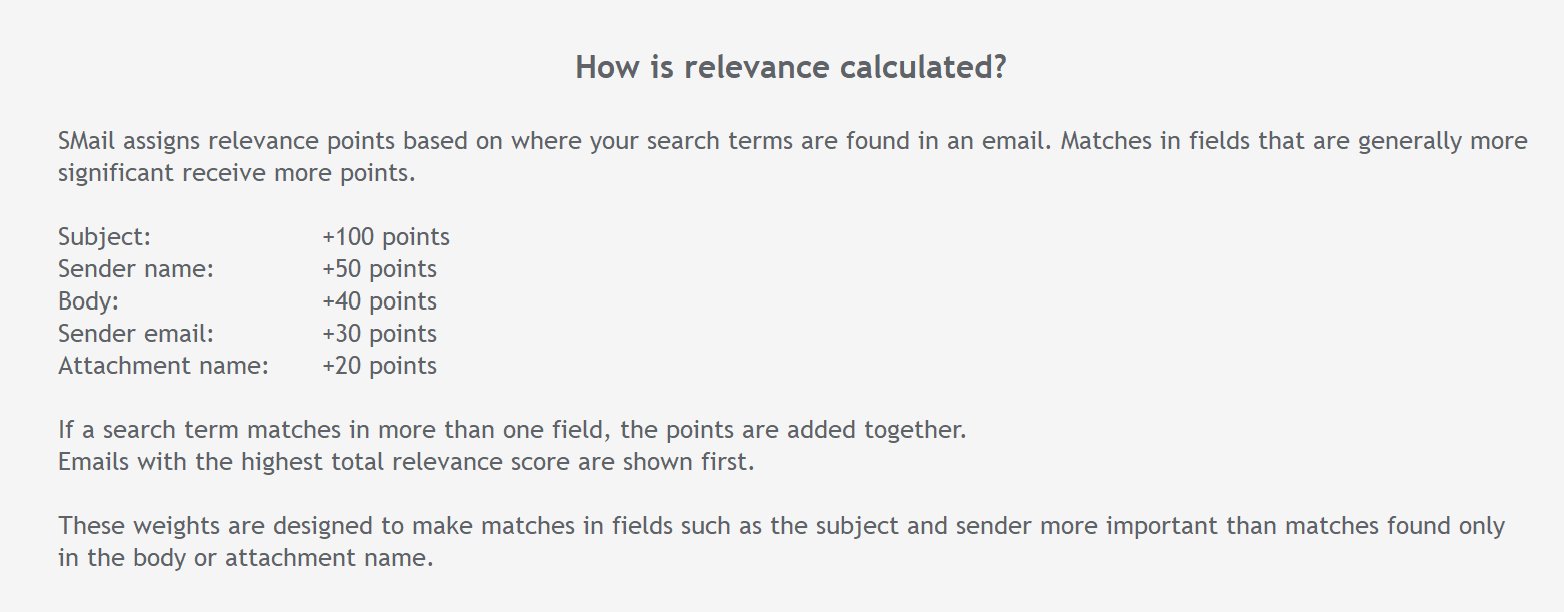
Relevance reflects where the match was found.
Matches in more significant email fields contribute more strongly. Signals can combine when the same term appears in several places.
AUTOMATIC INDEXING
Your index keeps itself ready.
Choose when SMail should update its local index and let it work quietly in the background, keeping your selected Outlook folders ready to search.
Set (and forget) your schedule
Choose the indexing interval and the hours when automatic indexing may run.
Works around your PC
Optionally wake the computer for scheduled indexing or run a missed update when the computer becomes available again.
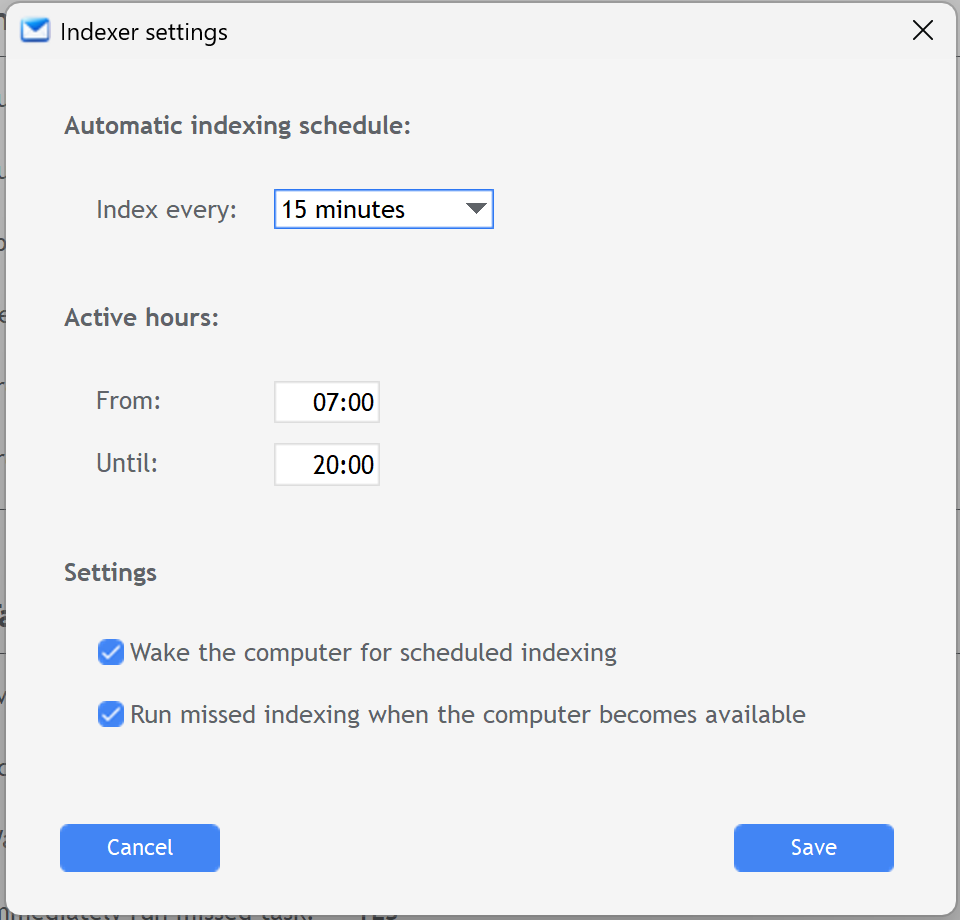
Set the schedule once. SMail handles the routine indexing.
LOCAL BY DESIGN
Your email doesn't need to become our data.
SMail is built around a local search workflow. Your Outlook email stays where it already lives, while SMail builds and searches its index on your Windows PC.
SYSTEM CENTER
One place to see what SMail is doing.
Check the health of automatic indexing and your active mail sources at a glance, then go directly to the tools you need when something requires attention.
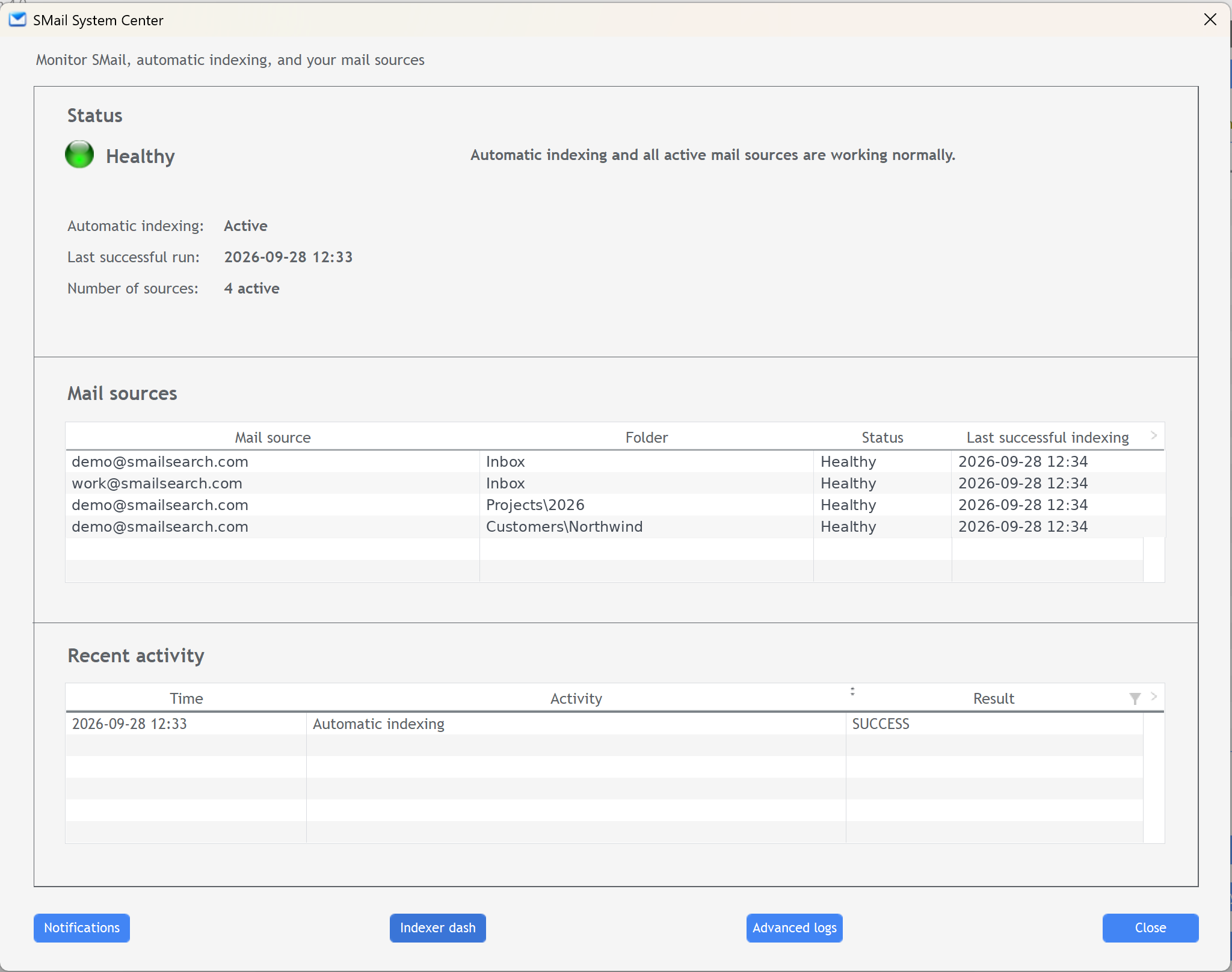
A central view of indexing health, mail sources and recent activity.
Health at a glance
See whether automatic indexing and your active mail sources are working normally.
Recent activity
See the latest indexing activity on your active index sources and whether it completed successfully.
Tools within reach
Open notifications, indexer dash and advanced logs directly from System Center.
PUSH NOTIFICATIONS
Know when automatic indexing needs attention.
The indexer normally works quietly in the background. If automatic indexing encounters a critical problem, an optional push notification can let you know directly on your phone.
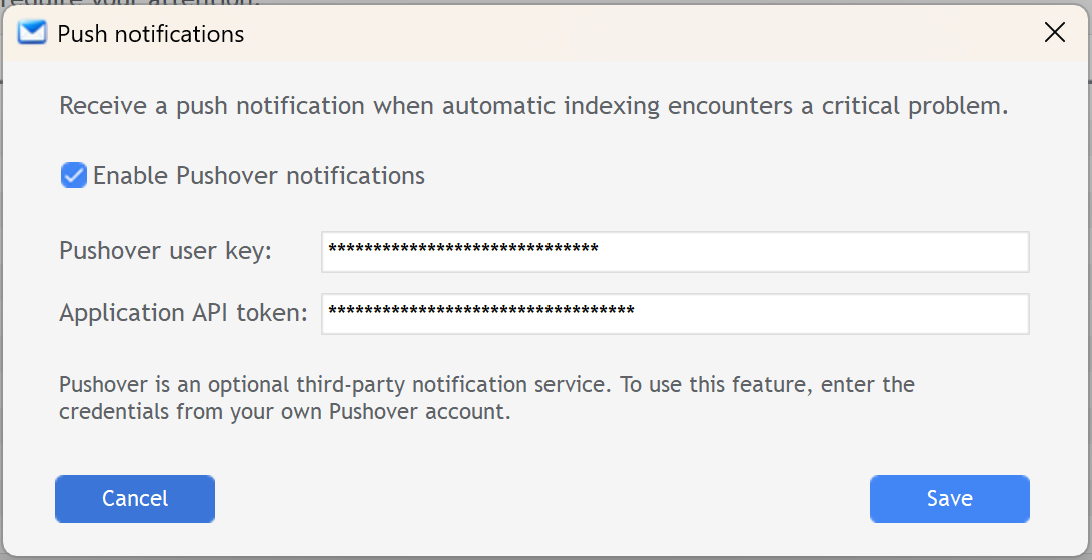
Only when attention is needed
Notifications are reserved for critical automatic-indexing problems rather than routine activity.
Completely optional
SMail works normally without push notifications. Enable them only if you want them.
Remote notification via Pushover
Enter your personal Pushover user key and application API token to connect the service.
DIAGNOSTICS
When something happens, SMail keeps the evidence.
When indexing needs attention, SMail records the operational details that help explain what happened.
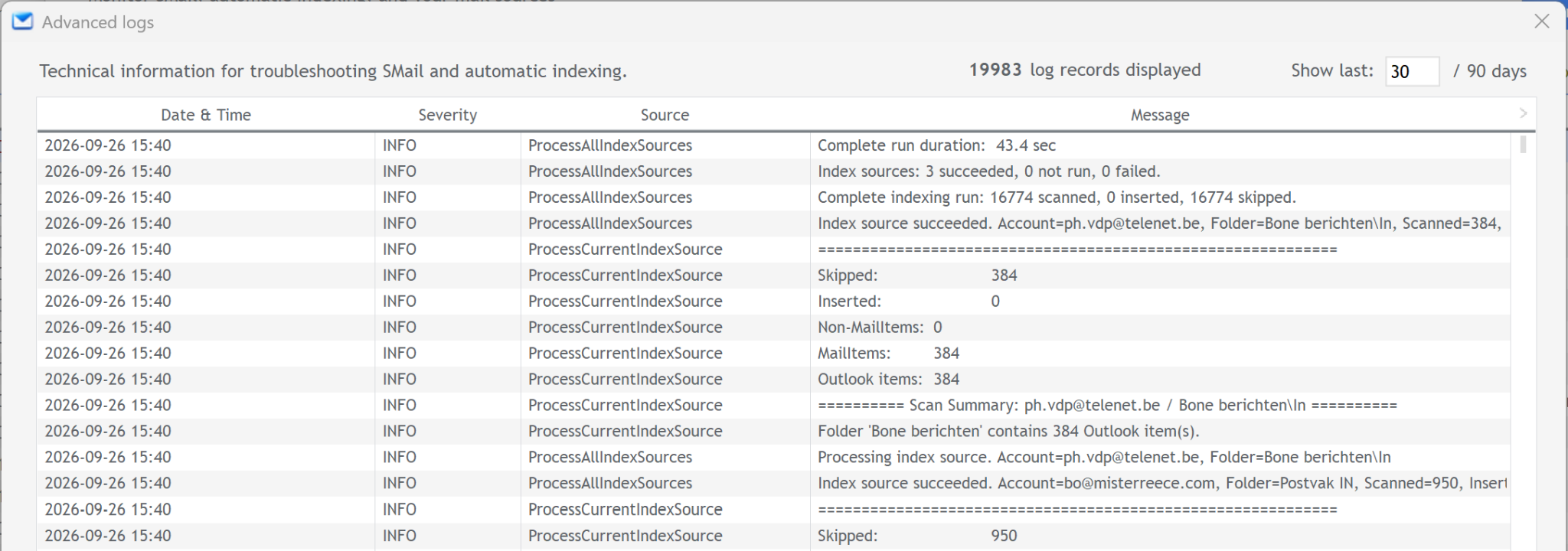
Automatic logging
Important background activity is recorded automatically.
Detailed when needed
Advanced Logs provide a deeper view when troubleshooting.
Automatic 90-day cleanup
Diagnostic history is managed automatically, with archived records outside the 90-day retention window removed.
LICENSE MANAGEMENT
One license. Up to three PCs.
Your SMail license can be activated on up to three computers, so you can use SMail wherever you work.
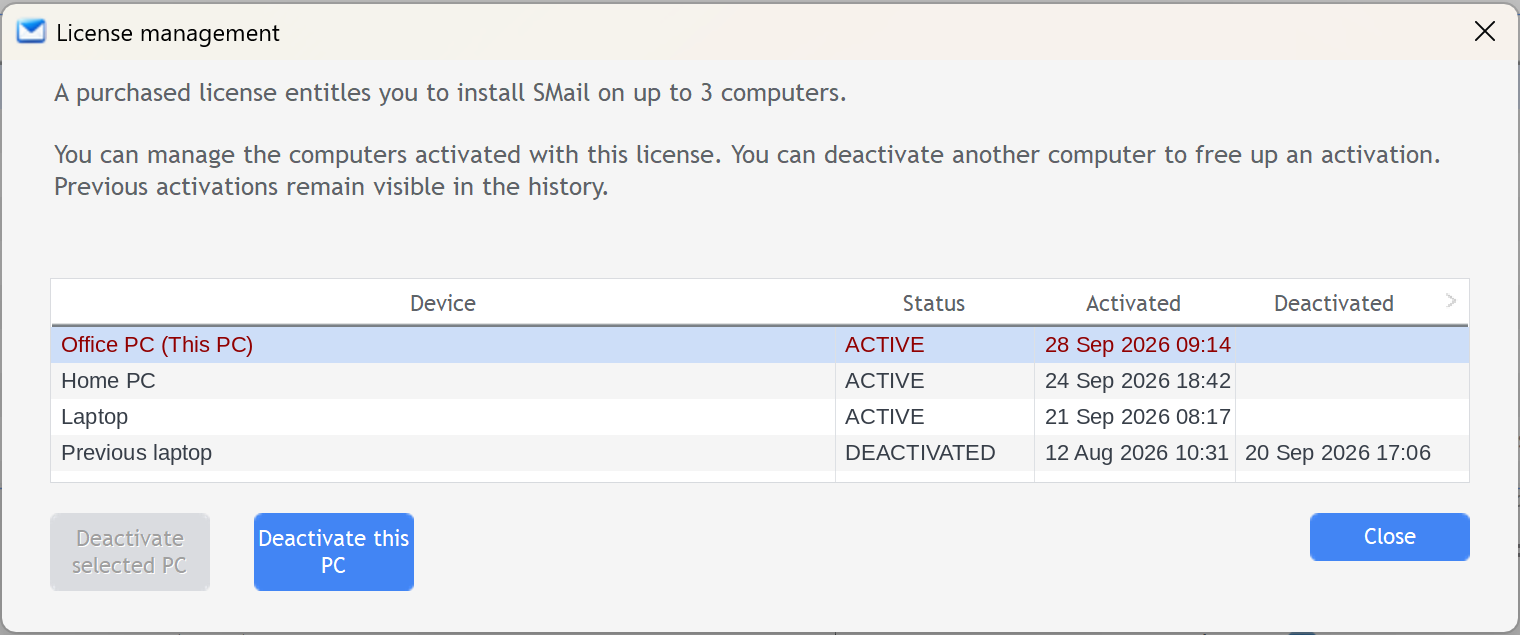
See and manage your PCs
Give each computer a recognizable name and see which activations are active.
Free up an activation
Deactivate another PC remotely, or deactivate the computer you're using directly from SMail.
READY TO FIND IT?
You know the email is there.
SMail it.
SMail turns your Classic Outlook archive into a fast, local search index designed to help you find the message you remember — even when you don't remember exactly where it is.
No subscription. Your email stays local.